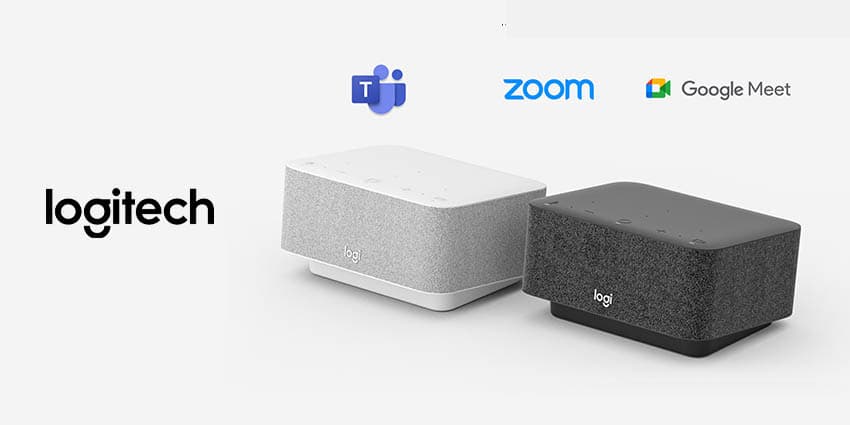
Logi Dock is an all-in-one docking station fitted with speakers, a speakerphone and seven connectivity ports.
The dock can be paired with peripheral devices such as webcams to create a complete meeting experience and is compatible with popular meeting platforms such as Teams, Zoom and Webex.
Key Features of Logi Dock
The principal features of Logi Dock are:
- Multiple connection ports - The Logi Dock features up to seven available ports. Users can connect up to five USB peripheral devices and two monitors using the USB Type A, Type C, HDMI and the display ports. In addition, there is a Bluetooth button to connect to other smart devices, plus a hidden type C port at the side of the device. It does all these and can also charge your laptop through a USB C upstream port, eliminating the need for a power box.
- Integration with online meeting apps - Logi Dock is integrated with the commonly used online meeting apps such as Microsoft Teams, Google Meet, Zoom and Google Voice.
- Powerful video conferencing controls - Logitech designed the Logi Dock with online meetings in mind, fitted with controls that users navigate through meetings. Pressing on the top button takes users directly to a meeting. You can also mute or disable videos or switch to a zone wireless AirPods or headset for privacy.
- High-quality speaker unit with noise cancellation - Logi Dock has six speakers with advanced algorithms to tune out background noise, giving you the best calling experience. With Logi Dock, employees don't have to worry about not being heard during meetings. Clear communication is vital to every organization, and Logitech built the Logi Dock all-in-one docking system.
- Bluetooth speaker connectivity - Logi Dock is not just restricted to attending or hosting online meetings. Its Bluetooth connection can link to any Bluetooth device, such as smartphones, laptops, iPads, music players, etc., to serve as a speaker.
- Integrated calendar with Logi Tune - Users can further maximize their Logi Dock experience by integrating it with Logi Tune on your Windows or Mac. The device then automatically reminds you of any scheduled meeting you have with a flashing LED light in front of the device. All you have to do is join the meeting by pressing a button.
Benefits Of Logi Dock
Using the Logi Dock, you can:
Declutter your workspace
With the multiple electronic devices necessary to produce the best results, there is always a tangled mess of cables, cords and wires littering one's workspace and making it look disorganized. This can be fatigue-inducing and cause a reduction in overall productivity. Logi Dock helps to boost the productivity of everyone in an organization, from the owners to the managers and other employees. One can replace desktop clutter with Logi Dock and enjoy a seamless working experience.
Add music to improve your workday routine
Logi Dock is a cost-effective means of indulging in your preferences for individuals who love to play background music or even listen to audiobooks. It merges its functionality as a videoconferencing tool and docking station and provides clear, distortion-free sounds from its powerful speakers. With it, you can play any audio file from your Bluetooth-enabled devices.
Never forget a meeting