Contacts Pro is the creation of France-based software developer, Witivio. The company has a wide range of products to help improve productivity across a variety of use cases. It has a no-code chatbot building platform called Virtual Agent Studio, essentially meant to help quickly deploy service desks. There’s also Learn365, which is a pre-built virtual assistant for learning Microsoft/Office 365 skills, available in multiple languages.
Contacts Pro is part of Witivio’s Teams pro suite of solutions — the suite covers project planning, communication, security, wellbeing, and collaboration requirements. Importantly, Witivio is a certified Microsoft partner and earned Microsoft’s France Start-Up Award recognition in 2020. Therefore, Witivio has a robust Microsoft specialisation (particularly in Teams), building apps for calendar management, navigation, learning, distribution, and much more to help expand Teams’ potential use cases.
Contacts Pro has a simple purpose: to provide Teams users with a smart phonebook app that can simplify communication as well as records management. Is Contacts Pro a worthy add-on when networkers already have Azure Active Directory to fetch contacts? Here’s our review.
Inside Contacts Pro for Microsoft Teams
As mentioned, Contacts Pro is part of Witivio’s Teams pro series of products. With 70,000+ businesses worldwide using Teams Pro, including the likes of SAP, Starbucks, Nokia, and DXC — users are in good hands. You can install Contacts Pro as a standalone solution or opt for the end-to-end Teams pro suite.
To install Contacts Pro, head to Microsoft AppSource or the company’s own product page, where it is available for free. The key features of the app include:
- Consolidating internal contacts: Contacts Pro gives networkers a centralised space to bring together all their internal contacts. Users will be able to access this feature by adding the Contacts Pro Address Book tab to a Teams channel. Importantly, the app lets them add in a person’s social media information, helping to create a consolidated repository with or without phone numbers.
- Chat with contacts: From the Contacts Pro Address Book, users can directly start chatting with a team member. If that person is available on Microsoft Teams, then you will be able to see a Chat button on their contact card – click on the button to launch a conversation without switching windows or applications.
- Contact information enriched with notes: The Contacts Pro app lets users enrich contact details with open-ended statements and notes. This can come in handy when there are multiple contacts with the same name, when you are using the app to save client information, or simply to personalise the contact further with conversation reminders and aids.
- External contact option: As mentioned, networkers don’t need to know an individual’s phone number or email ID to add them to the Contacts Pro Address Book. This means that it's extremely suitable for saving contact information from outside their organisation, using LinkedIn, Facebook, Twitter, or website details. If users quickly want to note down a potential lead or supplier from their social network, this feature will be extremely helpful.
- Email contacts from the app: In addition to the chat option, users can also initiate email conversations from the Contacts Pro app. If there is email information associated with a contact, then a small email icon appears on the Contact Card. Clicking on this icon will directly take users to an email conversation.
- Contact groups: Contacts Pro allows networkers to define discrete groups for organising their contacts. For instance, you might want to separate your clients from your suppliers and team members. Internally, you might want to have different groups for each team. You can choose to display contact cards as per the group to which they belong in your Address Book.
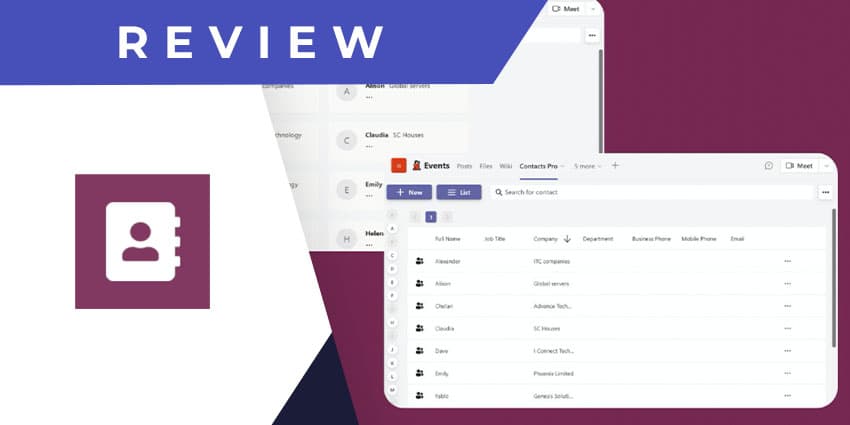
- Different view modes: The Contacts pro app gives users two options in terms of viewing modes: the contact card view, which we have discussed already, and the list view. In the latter, users will see a complete table of their contact information, including phone numbers, company information, email details, etc.
Why the Contacts Pro App Makes a Difference
Contacts Pro addresses a simple but vital use case. If networkers and users are looking for a slightly old school but familiar phonebook app for Microsoft Teams, Contacts Pro by Witivio can be a game-changer.
What We Think
Contacts Pro is among the best free phone book apps for Teams, with a lot of versatility. It is available to download it here.
Additionally users can also explore Witivio’s full library of Teams Pro apps here.