

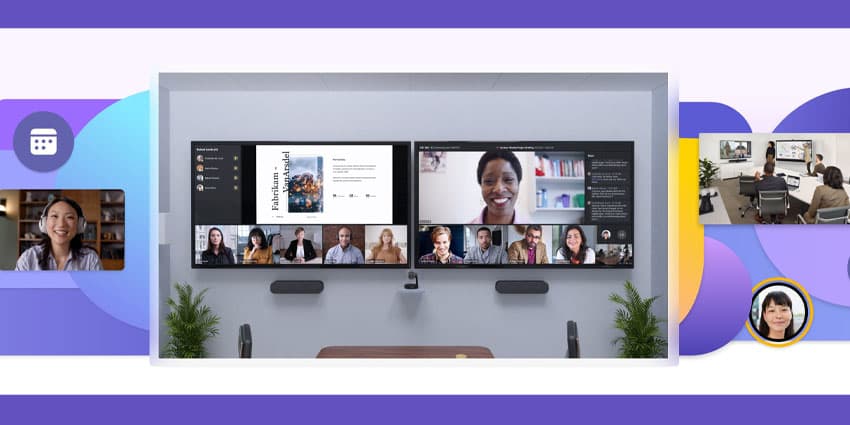
What is a Microsoft Teams room, and why do so many companies need them in 2022?
Perhaps the ultimate solution for the world of hybrid work, “Rooms” are all-in-one kits of collaboration software and hardware built to bring people together. Microsoft Teams Rooms are dedicated packages of tools for the hybrid workforce centred around Microsoft Teams.
The “Rooms” concept as a solution for video conferencing and meetings has become increasingly common in recent years, as workplaces have evolved and team members have started spending more time outside the office. Today, Rooms offer a convenient all-in-one alternative to traditional AV systems, which required comprehensive setup and management.
Let’s explore the realities of Microsoft Teams Rooms.
Defining Microsoft Teams Rooms
Microsoft Teams Rooms, sometimes called “MTR” systems, are all-in-one, easy-to-use solutions designed to deliver consistent Teams experiences to modern teams. The inclusive and easy-to-use technology promises a more convenient meeting experience, allowing business users to turn any shared space into the ultimate collaborative environment.
Like most companies offering collaborative technology today, Microsoft provides a range of different sized “Rooms” for various companies. Options include everything from “Focus room” environments built for between 3 and 5 people to medium spaces for 11 people, and large boardroom spaces.
Microsoft offers “Rooms” through a host of devices created by leading partners like Dell, Logitech, Yealink, HP, Lenovo, Polycom, and Crestron. These solutions are flexibly designed to adapt according to the needs of each company. There’s also access to managed service solutions which allow you to pass more of the headaches of managing your Rooms over to an external company.
What are the Components of a Microsoft Teams Room?
Microsoft Teams Rooms can provide enhanced video conferencing capabilities to virtually any space and all the tools you need to collaborate and share knowledge efficiently. You can start meetings with one-touch joining options, instantly project a display to a room, and share content with remote participants.
The beauty of Microsoft Teams Rooms is that you don’t have to mix and match the components you need for a forward-thinking meeting experience yourself. Instead, you get everything you need for a great user experience built into a single package, including:
- Compute module (for running your Teams experience)
- Access to the Microsoft Teams Rooms dedicated application
- Touchscreen console (for controlling your Teams experience)
- Peripheral devices like speakers, microphones, and cameras
- Up to 2 external screens for projecting your meeting software onto
- HDMI inputs for plug-and-play functionality
You can deploy your Microsoft Teams Rooms in virtually any meeting space and access further add-ons and peripherals whenever you need to expand your experience. Microsoft’s meeting room environments are designed to flex and scale with your business as your meeting needs continue to grow. Plus, Microsoft offers many helpful articles and resources to help with deployment.
For companies looking to add extra functionality to their Microsoft Teams Rooms, you’ll also be able to unlock additional devices, like whiteboards, where you can share visual content with your in-office and remote participants digitally.


