

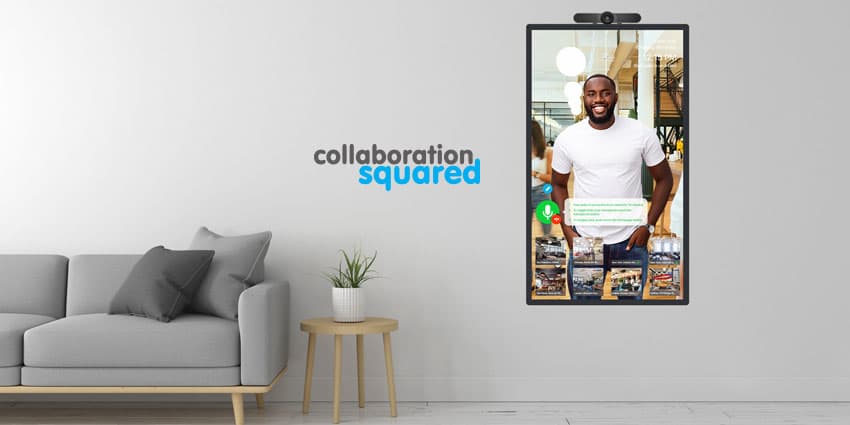
Global conferencing and collaboration developer, Collaboration Squared, announced the launch of their “Video Window” service, earlier this year. Video Window is an immersive always-on conferencing portal for teams in search of improved human connections.
The goal of Video Window is to eliminate the physical boundaries in conferencing experiences, to make people feel as though they’re looking through a window to the place they’re connecting to. According to Daryl Hutchings, the CEO of Collaboration Squared, the company believes strongly in the development of human connections. Through high-quality collaboration technology, the brand wants to help teams and individuals feel closer and more emotionally connected.
When they built Video Window, Collaboration Squared committed to creating something beyond the traditional conferencing experience. The solution is intended to dramatically simplify the ways that teams communicate across offices.
Customers have enjoyed how personal Video Window feels and how it helps to form relationships with their colleagues. And now Portrait Mode has been released.
Portrait Mode makes personal interactions more immersive and even more like the other person is standing right there with you. According to Collaboration Squared, Portrait Mode for Video Window is especially useful for socialising in shared lounge, canteen, and kitchen areas. It’s also ideal for team working areas, particularly if wall space is at a premium.
What to Expect from the Enhanced Video Window
Featuring patent-pending technology, Collaboration Squared has developed Video Window to ensure that devices remain connected to their assigned groups for specific hours in the day, set by an administrator. If an internet connection is lost, devices will automatically reconnect.
The main focus of the tool is simplicity. There are no URLs or scheduling issues to worry about, no app downloads, and no user logins. All you need to do is press the button to join the audio conference and access instant communication.
Knock to site: If the other side of the conversation is muted, you can tap on the screen to make a knocking noise on the other side and get the other person’s attention.
Opt-in audio: To maintain privacy, the audio for each location will be turned off automatically. This means that the only time someone can be seen and heard is when someone physically presses the “join” button for audio.


