Author transcript
**Marcus Law:** Hello and welcome back to UC Today. Most enterprise Teams Rooms deployments standardize the big meeting rooms and stop there. The shared areas, the rooms that never quite fit the original brief, are often left running on whatever hardware was easiest to install at the time. QSC has built two new additions to its Q-SYS platform to help close that gap: the Scheduling Panel and the Room Suite Collaboration Bar. I'm delighted to be joined by Geno Zaharie, Senior Director of Alliances and Ecosystems at QSC, to talk through what they do and the difference they make for IT teams managing these spaces at scale. Geno, first of all, thank you very much for joining us today.
**Geno Zaharie:** Thank you, Marcus. Pleasure to be here.
**Marcus Law:** Really great to have you with us, Geno. Can you start by setting the scene? What prompted Q-SYS to introduce these products, the Scheduling Panel and the Room Suite Collaboration Bar?
**Geno Zaharie:** So, the Room Suite Collaboration Bar and the Scheduling Panel are a new addition to what some know us for, which is high-impact spaces. If you think of high-impact spaces as being very configurable and very custom, based on the use case and the application of those spaces, these are rooms that maybe we weren't approaching before: mass deployment spaces, where I expect the quality and connectivity that high-impact spaces provide, but on a much grander scale.
Both products talk back to our management and administration platform, Q-SYS Reflect, and that's where both devices provide insights about the room's behavior. So, if you think about it, it's a technical approach to having eyes, ears and control in every single space, not just the high-impact spaces that we're known for.
**Marcus Law:** When we think about our audience, who are Microsoft Teams customers, what specific challenges do these new products address for them?
**Geno Zaharie:** The collaboration bar and the scheduling panel are Teams-centric, and they solve problems of workplace standardization. We all want to have that comfort when we walk around the facility and be able to use the same tools in every space, and we have to do that at scale. Both of these products are Teams-certified, allowing IT teams to deploy with confidence.
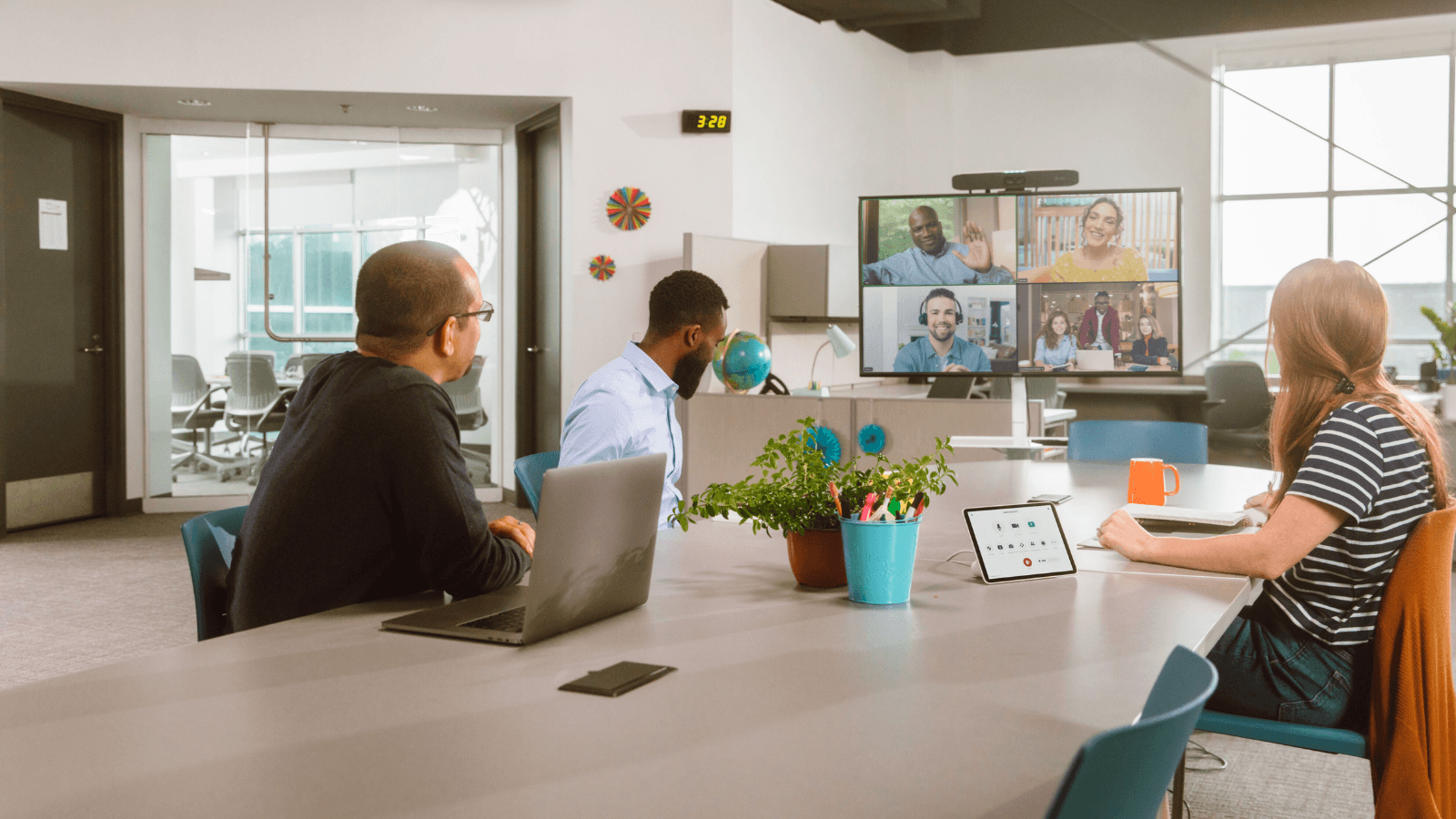
Additionally, the Room Suite Collaboration Bar supports up to four optional table microphones, just to extend the audio if you need it. A little-known fact is that I always want to reach over to the control panel in the room to mute myself. These microphones have a daisy-chain effect, so if I mute there, I can mute the entire room. So we have consistency in call control, as well as a user experience that I might find in a high-impact space, all the way down to a collaboration space in a small room.
**Marcus Law:** Absolutely, I think that's really clear. It's about improving the experience when you're in the meeting room, like in the example you've just talked about. But looking at the Scheduling Panel, Geno, how does that product improve the experience before someone even enters the room?
**Geno Zaharie:** It's more about improving the pre-meeting experience. We've all walked down the hallway and seen the different panels telling you which room is free, what's open and what you can book, interfacing with users in that space as opposed to inside the meeting room. Everything from occupancy status to booking availability is visible and actionable at the door, helping users reserve spaces quickly.
This data is also shared with Reflect, the cloud monitoring and management platform I brought up earlier. That gives IT a lot of insight into how people are interacting with these spaces before they're actually inside them.
**Marcus Law:** And talking about the Room Suite Collaboration Bar, how does that product fit within broader Teams Rooms deployments?
**Geno Zaharie:** The cool part is that the Room Suite Collaboration Bar is Windows-based, and for those that deploy Windows, it's a very common platform, which is nice. We're calling it the all-in-one device designed for standardizing meeting spaces. It gives an organization a very simple, scalable way to extend consistent Teams experiences across many spaces.
With Microsoft Teams Express Install, you can deploy a unit rapidly and have it running in a couple of hours or less. And because it's a web-based setup, Q-SYS Designer, our full deployment tool, isn't required. IT teams can set these up in a heartbeat and have that user experience online within moments.
**Marcus Law:** You've touched on Q-SYS Reflect and the integration there a couple of times, so I'd love to go into that a bit more. What does Reflect integration mean for IT teams when it comes to deploying the Scheduling Panel and the Collaboration Bar?
**Geno Zaharie:** Reflect is your cloud monitoring and management platform. It allows you to see everything you've deployed and how the space is being used. We keep adding more and more data points to Reflect, and the bar is a contributor to that: am I on a call, am I off a call, what's the mute status in the room, what firmware is it running. All of that reports back to the central dashboard I use for my entire AV estate using Q-SYS. The Collaboration Bar and the Scheduling Panel are part of that ecosystem and very much connected.
**Marcus Law:** When it comes to organizations looking to introduce these products, how can they do that without creating another isolated layer of room technology?
**Geno Zaharie:** You hit it on the head. The key is deploying the panels and the collaboration bar as extensions of Q-SYS, not as standalone devices. Even though the standalone capability is there from a setup and enablement standpoint, your organization needs to think: if I'm deploying Teams and deploying Q-SYS, I need that fabric to be interconnected, and I need to know what's happening in each of these spaces for monitoring and management.
When these devices enable consistency, visibility and scalability across the entire high-performance workplace, you're into something special. We don't want to create islands of uniqueness. Islands of standardization allow everyone to operate at the same level.
**Marcus Law:** A final question for you, Geno. What should a Teams customer assess first when it comes to deciding where to deploy this technology?
**Geno Zaharie:** Before deciding where to deploy the Scheduling Panel or the bar, Teams customers really need to think about the spaces that fall outside their current deployment strategy, and especially those highly repeatable spaces where you can have that consistency over and over again. Think of it as mass enablement in spaces you just haven't tackled yet.
Again, people are looking for a common, consistent user experience, so that no matter what space they go into, they feel comfortable using it without having to call IT and say, "Help me understand this product," or "Help me understand this workflow I need to get my work done."
**Marcus Law:** Great, that's all the time we have. Geno, thank you so much for your time today.
**Geno Zaharie:** Thank you very much, Marcus.
**Marcus Law:** Thanks very much, Geno. That's a really clear case for bringing consistency to the spaces most Teams Rooms deployments miss. This has been part one of a two-part look into QSC's Q-SYS platform. Part two covers how deep the relationship with Microsoft actually runs, and you can find both of these pieces, along with the rest of this campaign, on UC Today. Thank you very much for watching.