Imagine an IP-PBX which didn’t require any capital investment in expensive server hardware. A system which allowed you to plug in any existing SIP phones you have, as well as integrate mobile. Which offered a comprehensive range of call management and UC features, and was flexible enough to be deployed by businesses of pretty much any size.
All of that plus the possibility of saving thousands of pounds every year..
Too good to be true? Well, over the past decade, 3CX has built its entire business around these kinds of promises. And it is fair to say its eponymous software-based PBX system has taken the communications world by storm, racking up an impressive list of household name enterprise clients along the way.
So why all the hype? 3CX was one of the first communications systems to take the leap into an entirely software based architecture. Others dipped their toe in earlier, and many have done so since, but have usually hedged their bets by offering on-premises hardware options alongside virtual or cloud software.
For 3CX, however, software is everything. That doesn’t mean you can’t run it ‘on-premises’ - you simply download the platform and run it on your existing IT servers. Alternatively, 3CX is readily available as a hosted cloud service from a third party provider, with the intriguing possibility of also ‘self-hosting’ the system in the cloud.
In this review, we will try to understand just what it is that has made 3CX such a sensation in telecommunications and whether it really does deliver on all its promises and how. Please remember, the opinions in this review are those of the author only, and that UC Today does not endorse or support any particular brands or products.
How Does It Look?
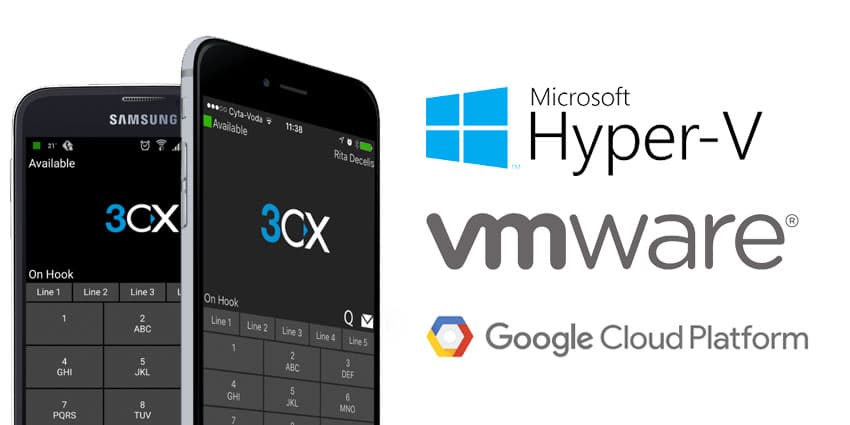
The main 3CX client interface is a softphone with similar layout and appearance on desktop and mobile platforms. Navigation is consistent and intuitive on all platforms, using right click or icon options to make a wide number of choices readily available at all points. On desktop, the view can be configured to display favourites and directory alongside the dial pad, and new windows open for IM, video, conferencing etc. Presence is indicated using green, amber and red colour coding.
What Can It Do?
The main difference between 3CX and a typical IP-PBX is that there is no physical server. Instead, you download the 3CX platform and run it on a normal IT server in a VMware vSphere or Microsoft Hyper-V virtual environment.
Alternatively, if you don’t want the hassle of downloading and installing the software yourself, you can ‘self-host’ on any cloud provider offering Linux VPS, including Google, Amazon and OVH. 3CX’s handy PBX Express tool makes configuring the system very straightforward - follow the wizard, plug in your phones and you are away.
Access to external lines is either via an ISTP, or using an existing PSTN via inbuilt gateways. SIP trunking is also supported and because the whole system is based on the open SIP standard, you can use any SIP desk phone from any vendor - 3CX does not make its own endpoints, so there is no lock in. Phones simply plug into your IT network, and there is also a mobile extension for turning Android and iOS devices into networked SIP phones.
With 3CX, there is no limit on the number of users you can register to a network. To integrate networks at different sites into one, you configure master/slave bridges using extension codes, allowing you make free calls between branches over IP. In theory, there is no limit to how far a 3CX system can be scaled up.
What is limited, however, is the number of channels, or simultaneous calls, available at one time. Subscriptions range from 4 channels to 1024 channels. The channel to user ratio is usually said to be around 1:3 or 1:4, on the basis that not everyone in an organisation is ever on the phone at once
In addition, 3CX is available in three different flavours - Standard, Pro and Enterprise. All three support the same comprehensive range of call management and telephony features, including voicemail, auto attendant and call logging, reporting, recording and queuing. The key differences are that Pro and Enterprise include a suite of call and contact centre features, and a much bigger range of application integrations, including CRM platforms, Microsoft Exchange, Office 365, Salesforce and Google Contacts.