
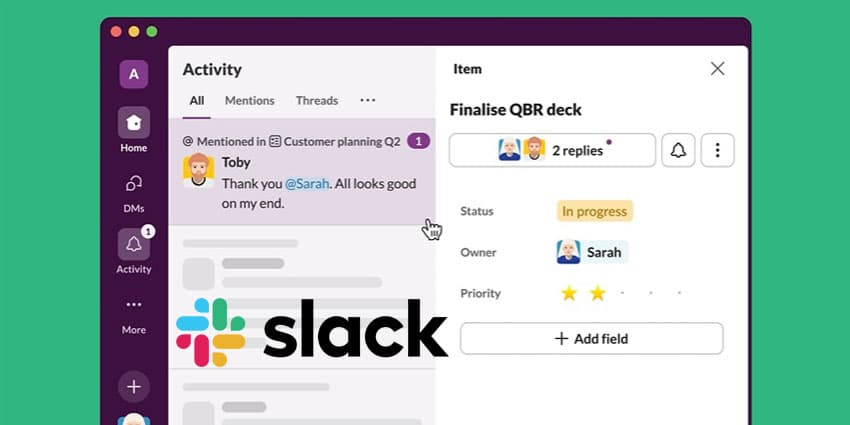
Slack has genuinely revolutionised the way teams work together, replacing fragmented communication with an invaluable all-in-one hub where conversations, tools, and resources seamlessly connect. More than just a messaging app, it's become a digital HQ where work happens.
This guide takes you inside Slack's capabilities, showing IT leaders exactly how to unlock its full potential to drive productivity, strengthen culture, and give their organisations a competitive edge in today's fast-paced business environment.
- Unlocking Slack’s Potential: Underrated Features to Boost Collaboration in 2025
- Moving From Microsoft Teams To Slack: 10 Crucial Tips for a Seamless Migration
Slack Overview
Established in 2013, Slack has rapidly evolved into a cornerstone of modern workplace comms. Originally designed to replace traditional email threads, it offers real-time messaging, file sharing, and integration with numerous applications, fostering a more connected and efficient work environment. Slack's user-friendly interface and adaptability have made it a preferred choice for organisations ranging from startups to Fortune 500 companies.
Slack's acquisition by Salesforce in 2021 further amplified its capabilities, integrating it into Salesforce's broader suite of business tools and enhancing its functionality for enterprise-level operations. With a commitment to innovation, Slack continues to lead in elevating digital collaboration.
- How to Delete Messages on Slack: Easy Options
- How to Search for a Message in Slack: Using Slack Search
Key Features of Slack
- Channels: Organise conversations into dedicated spaces based on teams, projects, or topics, ensuring focused and efficient communication. Channels can be public, accessible to all members, or private, restricted to specific individuals.
- Direct Messaging: Facilitate private one-on-one or group discussions, allowing up to nine participants with the option to convert group messages into private channels.
- Integrations: Seamlessly connect with a wide range of third-party services, including Google Drive, Trello, Dropbox, GitHub, and Zendesk, centralised tools and notifications within Slack.
- Search Functionality: Efficiently locate files, conversations, and contacts with Slack's comprehensive search capabilities.
- File Sharing: Easily share documents, images, and other files directly within conversations, supporting collaborative efforts.
- Notifications: Customise alerts to stay informed about pertinent discussions and updates without unnecessary interruptions.
- Slackbot: Utilise Slack's built-in chatbot for setting reminders, answering queries, and automating routine tasks.
- Huddles: Engage in real-time voice or video conversations with screen-sharing capabilities, fostering spontaneous collaboration.
- Workflow Builder: Automate repetitive tasks and design custom workflows to enhance operational efficiency.
- Enterprise Key Management (EKM): Maintain control over data encryption keys, aligning with organisational security protocols.
Pricing and Plans
Slack offers a variety of plans to accommodate different organisational needs:
- Free: Ideal for small teams, this plan includes access to the most recent 90 days of message history, integrations with up to 10 apps, and one-on-one voice and video calls.
- Pro: At $8.75 per user/month (billed annually) or $10 per user/month (billed monthly), this plan provides unlimited message history, advanced search filters, and group audio/video calls.
- Business+: Designed for growing companies, this plan costs $15 per user/month (billed annually) or $18 per user/month (billed monthly) and includes SAML-based Single Sign-On, 99.99 percent uptime guarantee, and advanced compliance features.
- Enterprise Grid: This plan is tailored for large enterprises with complex needs. It offers enterprise-level security and compliance, unlimited workspaces, and dedicated account support. Pricing is customised based on specific requirements.
Security and Compliance
Security is a cornerstone of Slack's infrastructure:
- Data Protection: Customer data is encrypted both at rest and in transit.
- Compliance Certifications: Slack complies with global standards, including ISO/IEC 27001, SOC 2, and SOC 3, and is GDPR-compliant.
- Advanced Security Features: Features like Enterprise Key Management (EKM) provide administrators with granular control over data encryption.
- Industry-Specific Compliance: Slack supports configurations for HIPAA and FINRA and has achieved FedRAMP Moderate authorisation, catering to various industry requirements.
Slack Partner Ecosystem: Partners, Apps, and APIs
Slack's extensive partner ecosystem enhances its functionality:


