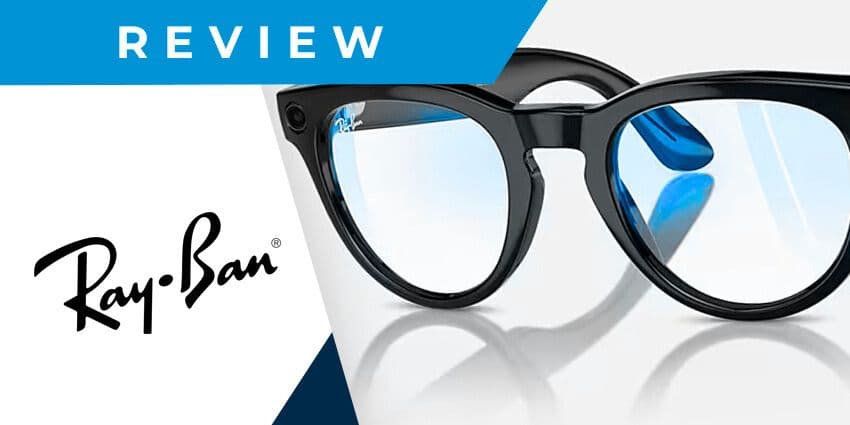
In today’s Ray-Ban Meta smart glasses review, we’ll take a hands-on look at potentially the most stylish specs in the AR market. While increasing demand for augmented and mixed reality experiences has given the smart glasses market a boost, few options have proven to be genuinely life-changing. Even fewer look and feel as great as regular specs.
Following their previous collaboration with EssilorLuxottica, Meta announced the arrival of their new Ray-Ban Meta smart glasses in September 2023 at Meta Connect. According to the tech giant, these glasses were redesigned from the ground up. That means the team was able to make some significant improvements to the core functionality and add some brand-new features.
Starting at $299, the Ray-Ban Meta smart glasses represent a relatively affordable option for those interested in the age of AR. But are they worth the money? Let’s find out.
Quick Verdict, Pros, and Cons
The Ray-Ban Meta smart glasses don’t have the advanced spatial computing features of solutions like the upcoming XReal Air 2 Ultras, but they still offer a great experience. The camera functionality and sound quality of the glasses are both excellent. Plus, they look more stylish than most alternatives in the AR smart glasses space.
Pros:
- Excellent camera quality (with streaming options)
- Stylish, lightweight, and comfortable design
- Intuitive and responsive controls
- Crystal clear sound quality
- Built-in AI voice assistant
Cons:
- Limited AR functionality
- Lots of audio leakage
Ray-Ban Meta Smart Glasses Review: Specs
Let’s start our Ray-Ban Meta smart glasses review with a quick look at the specs. According to Meta, these updated glasses are their most intuitive yet, with integrated AI assistant functionality, enhanced audio, and improved camera quality.
For $299, the specs combine stylish eyewear, an integrated camera, and open-ear headphones. However, there aren’t any comprehensive AR or mixed reality features. Still, they do allow you to capture video and discreetly communicate with colleagues on the move.
The basic specs include:
- 12MP ultra-wide portrait camera
- 1080px video resolution
- Live streaming mode for up to 30 minutes
- 32GB of storage for videos and photos
- 133grams weight
- Custom-built speakers
- Five mics with immersive audio recording
- Bluetooth 5.2 and Wi-Fi 6 connectivity
- IPX4 water resistance
- 36 hours of battery life (With the case)
Ray-Ban Meta Smart Glasses Review: Design and Comfort
While the Ray-Ban Meta Smart Glasses might not be the most immersive AR glasses you can get, they stand out in other areas. We were impressed by the stylish design, which has a similar level of sleekness as the RayNeo Air 2 XR glasses. You can choose between Wayfarer and Headliner design options and various color options.
Plus, there are more than 150 different custom frame and lens combinations available through the Ray-Ban Remix platform, so you can design the glasses that suit you best. These glasses are a little heavier than your standard specs but are comfortable enough to wear for long periods.
The carefully constructed frames feel (and look) like a standard pair of Ray-Bans. You also get improved with touchpad controls for extra comfort, so you don’t have to worry about pressing various buttons.
Plus, we were particularly impressed by the durability of the specs during our Ray-Ban Meta smart glasses review. They might feel lightweight, but they’re robust enough for all kinds of environments, and they’re water resistant, so you can wear them outdoors, even when it starts raining.
Ray-Ban Meta Smart Glasses Review: The Camera
Compared to leading smart glasses, the Ray-Ban’s seemed designed primarily as a social media tool. Their features revolve around capturing content to share with friends on platforms like Facebook and Instagram. However, there are features for communication, too.
The ultra-wide 12MP camera is a huge step up from the previous camera on the original Meta Ray-Bans, offering 1080p videos and exceptional clarity. The color richness and detail are fantastic, although the framing has a slight issue. You tend to get a picture that’s much more “zoomed out” than what you see when wearing the glasses.
Plus, it’s difficult to know precisely what kind of image you’ll get, as the glasses can shift their camera focus to one side while filming. That said, it’s easy to see where these glasses would be handy in various environments. Though they might be designed for consumers, we could also see them being used for remote assistance and collaboration.
The ability to send videos and pictures to your team and communicate in real-time with the five integrated microphones means you can get rapid assistance with various tasks.
Ease of Use and Performance
Next, in our Ray-Ban Meta smart glasses review, let’s look at performance and setup. First, getting started with the glasses is simple enough. You’ll use the Meta View app to pair your glasses to a device by pressing a button on the charging case. However, you need a Meta account (such as an Instagram or Facebook login).
The system then walks you through configuring everything and shows you how to capture content (by tapping a button on the right-side arm). The media is directly imported into your Meta View app for you to see and share. Alternatively, you can stream content to your social media pages if you capture Reels or Stories.