

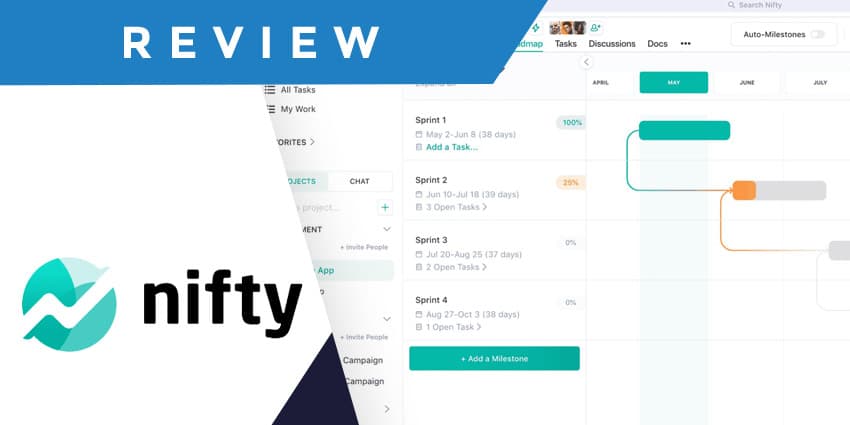
It’s safe to say that project management has gotten trickier over the years, thanks to hybrid and remote work and evolving workplace processes. Fortunately, tools like the Nifty project management platform can help companies discover new ways to align and empower their teams.
I’ve reviewed several project management solutions over the years, from Trello and Asana to Monday.com and Airtable. I believe Nifty is a solid competitor, even in an environment packed with better-known brands. The platform is user-friendly, competitively priced, and has a huge feature set to explore. There are even some great AI tools.
The question is, should you be using Nifty for your project management needs? This review will give you all the insights you need to make the right decision.
Quick Verdict, Pros and Cons
Overall, Nifty project management is a convenient, user-friendly platform that makes it easy to keep track of tasks, projects, and teams. The AI features are excellent for boosting productivity, and the reporting tools are brilliant for gaining in-depth insights into your employees’ workflows.
However, getting everything set up initially takes a little time and effort, and there aren’t as many native integrations available as you’d get with other apps.
Pros:
- Fantastic range of road mapping and task tools
- Excellent built-in collaboration features
- Powerful reporting and analytical tools
- Easy to use interface
- Intuitive AI capabilities
- Affordable pricing
Cons:
- Limited integrations
- Lacking customer support
- Frustrating initial setup
Nifty Project Management Review: The Key Features
Like most of the top project management tools, Nifty’s platform comes packed with valuable features for tracking tasks, projects, employee schedules, and more. You can collaborate directly in the app with file sharing and chat capabilities, and even set goals for your teams. Plus, Nifty even offers a generous free plan for beginners.
Based on my experience, here’s a quick rundown of this platform's key features and what you might like and dislike about them.
Project Management (the Home Hub)
Nifty is excellent at giving businesses and team members a comprehensive view of all their projects, tasks, and discussions in one unified place. The Project “Home” on the app is highly customizable, making it easy for team members to adjust what information they want to see when they log in. You can create specific dashboards and even design custom workflows within your home hub.
Plus, Nifty also makes it easy to unify information from a range of different apps in one environment. Although there aren’t as many native integrations available as you’d get from some alternatives, you can still import data from Asana, GitHub, Webex apps, Zoom, and more.
Another thing I really like about Nifty is the ability to create “project portfolios”. This basically means you can create folders for projects dedicated to different teams, like sales and marketing. The dashboard will even give you a quick high-level insight of the progress happening in each folder.
Business leaders can control who has access to each project hub, with public and private settings. You can also assign projects to different groups and owners throughout their lifecycle.
Tasks and Roadmaps
From a task management perspective, Nifty supports all of core “views” for tasks that teams love, such as tables, lists, Kanban boards, and Gantt charts. Users can assign specific users and deadlines to tasks, and add automations for things like reminders, notifications and approvals.
There’s even the option to create “recurring” tasks and immediately convert your task lists into milestones. Plus, you can create sub-tasks with unique fields and data and make every task trackable with built-in time monitoring functionality.
If you want to go really in-depth with your task management strategy, you can also create “roadmaps” with calendars so you can view deadlines and milestones at a glance. Users can automate aspects of this experience, too, such as setting up notifications for a team member to start working on a new stage of a project when a previous “sub-task” is complete.
Nifty Project Management Collaboration Tools
As I mentioned above, Nifty does integrate with most existing collaboration tools like Zoom and Microsoft Teams. However, there are various ways to collaborate within the platform too. The “Discussions” feature gives you a social-media-style experience where you can send direct messages to any member of your team, with attached files and images.
Users can create threads for longer conversations and instantly turn discussions into action items and tasks with a single button. Nifty project management also gives you a centralized place to store your files and documents (though storage levels depend on your plan).
You can upload files to the cloud from your Computer, Google Drive, and Dropbox. Plus, you can organize them by type, and use the built-in search function to track down specific assets. Users can also launch documents from Project Discussions to work on new pages in real-time, and you can invite anyone to view, comment or edit on a Doc.
The experience is very similar to using Google Docs (which also integrates directly with Nifty), but you get a more robust “chat” feature built into your workflow.
Goals, Analytics and Reporting
Nifty “Goals”, similar to the “Goals” capabilities offered by platforms like Asana, help to keep distributed teams on the same page about project milestones. You can create Goals that automatically add and remove tasks from your workflow when they’re completed. Plus, users can access custom tags to create goals that automatically update to measure KPI performance.


