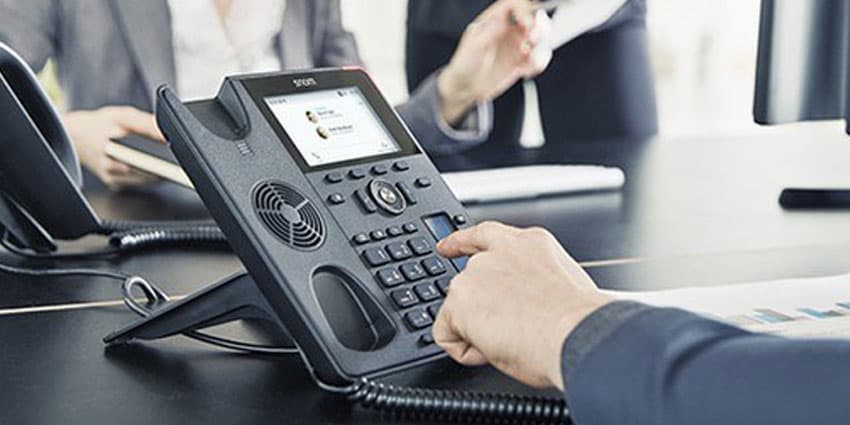
As Snom announces version 10 across its hardware portfolio, I spoke to Jason Green, Marketing Manager at Snom, to get the lowdown on the latest enhancements to be introduced to partners and end users.
Jason told me that version 10 is "A way for Snom to adapt our firmware to our new products, particularly ones that include a new sensor. It's also a complete rework of the visual and user experience side of things. Weighed up against our competitors, we've taken some pretty big steps in recent years in improving the user interface with more iconography and reducing the number of steps to set up a conference call".
Making the B2B experience B2C like
I asked Jason whether the new user interface was a drive to make business tools more friendly and to drive a more consumer experience - like when using your iPhone.
"Since we were taken over by VTech a few years ago, we've tripled the number of developers. Even before this, we've spent a lot of time and done a lot of 0n-house and partner testing. It's worth remembering that we were the first to introduce a SIP phone and perhaps every other manufacturer has used us as a template". This new user experience hasn't arisen through anything other than Snom's innovation strategy to drive the best way for the end users to use and for the resellers to install.
Snom QuickLookUp
In the same vein, Snom has also introduced a new Snom QuickLookUp feature. Jason said:
"It's easy to do this sort of thing on your smartphone so why should it be difficult on your business phone. The end user doesn't often get a choice of the phone on their desk so we need to make it as simple as possible"
I mentioned my background in capturing requirements with enterprises with thousands of employees. Jason and I agreed that standard practice is that gather requirements from all departments and user representation - but then the requirements are prioritised by somebody else and cost is usually promoted to the top. Therefore the user lead functionality piece needs to be catered for by the manufacturer. Snom receives regular requests into support from end users and partners, and this is very much taken into consideration when developing new and existing hardware.