
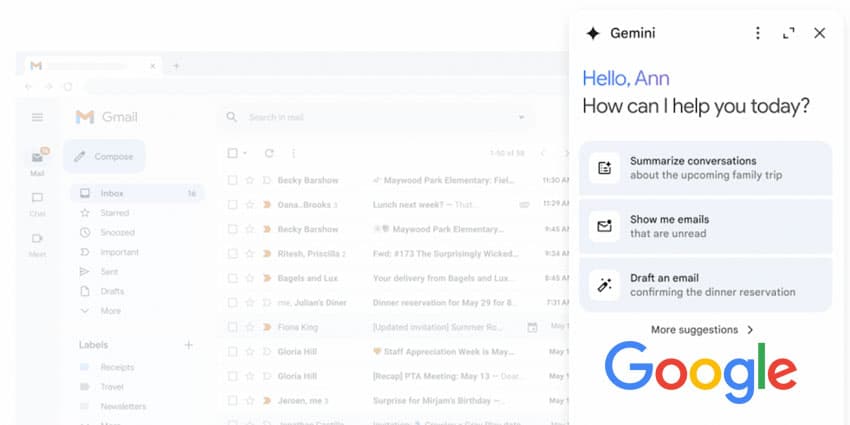
Google Workspace apps and Gmail have been upgraded with new Gemini features, including the AI-powered productivity assistant's addition to the services' side panels.
The side panel will incorporate Google's most sophisticated models, such as its Gemini 1.5 Pro model, which offers an extended context window and enhanced reasoning capabilities. This integration empowers users to leverage Gemini directly within their most utilised Google Workspace applications.
Google Workspace's blog on the update wrote:
We’re pleased to announce the general availability of Gemini in the side panel of Docs, Sheets, Slides, and Drive. Through the side panel, Gemini can assist you with summarising, analysing, and generating content by utilising insights gathered from your emails, documents, and more—all without switching applications or tabs."
Confirmation followed later that the same feature set has now been added to Gmail.
These features are rolling out now for Google Workspace customers with Gemini Business and Enterprise add-ons, Gemini Education and Education Premium add-ons, and Google One AI Premium.
Users must enable smart features and personalisation to utilise Gemini in the Workspace side panel. Admins can activate default personalisation settings for their users in the Admin console. On the web, Gemini can be accessed in the Gmail side panel by clicking on the "Ask Gemini" (star button) in Gmail's top right corner. For mobile users, Gemini is accessible by tapping the "summarise this email" chip within an email thread.
Example Use Cases
Google's Gemini side panel is designed to enhance user productivity within Google Docs. It offers assistance in crafting and refining content, summarising information, brainstorming ideas, and generating new content based on existing files, among other capabilities. This tool aims to streamline the creative process directly from the Google Workspace environment with which users are familiar.


