
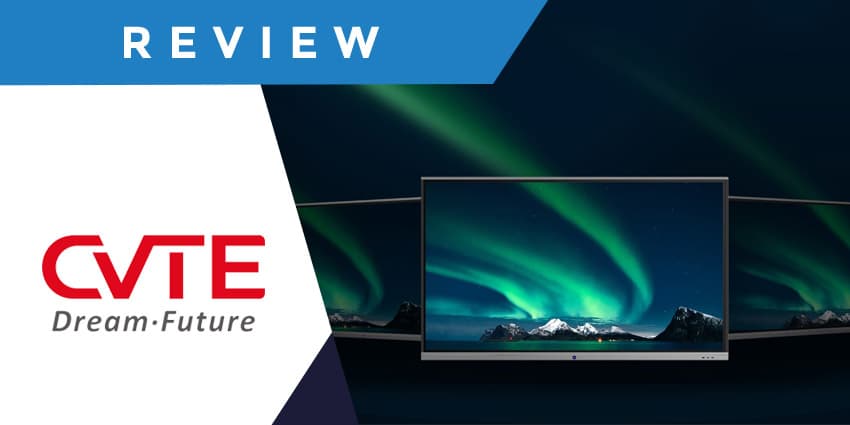
Is the CVTE EA Series the ideal choice for companies seeking ultra-responsive interactive displays? We tested one of these innovative screens to find out.
We’ve come a long way from the days of old-fashioned meeting rooms, where numerous employees had to meet in person and crowd around a table to collaborate. Today’s conferencing spaces are packed with tech designed to bridge the gaps between distributed workers, streamline knowledge sharing, and boost productivity.
Touchscreen displays, like the CVTE EA Series, are becoming commonplace in hybrid workplaces, giving teams an easy and intuitive way to collaborate on projects. While they might not have all the bells and whistles of some high-tech, all-in-one screens, such as the Microsoft Surface Hub 3, they’re still valuable investments for companies that want to unify and synchronize the workforce.
In this review, we’ll share everything you need to know about the pros and cons of the CVTE EA Series, if you’re searching for a high-quality interactive screen.
Quick Verdict: Pros and Cons
The CVTE EA Series is an excellent choice for organizations looking for meeting room hardware that can boost collaboration, productivity, and creativity. It’s similar in many ways to the Avocor E Series of screens.
Like Avocor, CVTE has focused primarily on delivering an intuitive touchscreen experience rather than experimenting with built-in additional features like webcams and microphones. This means the EA Series might not be ideal if you’re looking for an “all-in-one” conference room device, but it’s great for brainstorming, training, and more.
Pros:
- High-quality 4K screen
- Extremely responsive touchscreen capabilities
- Convenient Android operating system
- Integrated software for screen sharing
- Multiple connection options for external devices
Cons:
- No built-in camera or microphone
- Limited mounting options
CVTE EA Series: Overview and Specs
The CVTE EA Series of interactive flat panel (IFP) displays is a selection of screens designed by CVTE (the company also responsible for brands like MAXHUB), for conference rooms. It builds on various collaboration and communication endpoints CVTE offers, such as webcams, LED walls, and speakerphones.
Though this display isn’t as feature-rich as some other options we’ve tried, like the DTEN D7X AI-powered screen with a built-in microphone, speaker and webcam, it’s ideal for a wide range of hybrid meetings. Whether you’re brainstorming new ideas with your team members, designing products collaboratively, or training staff, these responsive screens are endlessly convenient.
The screens even come with integrated software for note-taking, screen recording, and screen sharing. Here’s a quick overview of the tech specs.
- 3840 x 2160 (4K) display
- 60Hz refresh rate
- 10bit color depth
- 2 speakers
- Capacitive recognition
- Multi-operating system support
- 10 point write and 20 point touch recognition
- Palm rejection
- Android 7.0 operating system
- HDMI, VGA, Audio, and USB inputs
- Integrated software for screen sharing and remote management
- Included smart active pens
CVTE EA Series: Screen Quality and Audio
First, like many interactive displays designed for conference rooms and collaborative settings, the CVTE EA Series comes in various sizes to suit different meeting rooms. You can choose between 55”, 65” and 85” options, making it easy to equip small, mid-sized, and even large conferencing spaces with the same straightforward tech.
The display features an excellent 4K resolution, an integrated backlight unit, and a decent refresh rate of 60HZ in all sizes. It also has a phenomenal touchscreen response time, ranging from 6ms to 8ms, depending on screen size.
Notably, this is quite a basic selection of screens compared to some of the other options on the market. For instance, there’s no “low blue light” setting or anti-smudge coating like you’d get with something like the BenQ Board Pro.
However, the overall visual experience is still excellent, and you get a set of built-in speakers for exceptional audio. You can also easily connect additional speakers (and other peripherals) to the screen, thanks to a wide selection of input options.
The Touchscreen Functionality and Pens
The quality of the interactive touchscreen experience is definitely what stands out most when you’re using the CVTE EA Series. The company’s years of experience creating products like the CE and EG series of IFPs for educational groups really shine through here. After all, in an academic setting, reliable touchscreen capabilities are a must-have.