

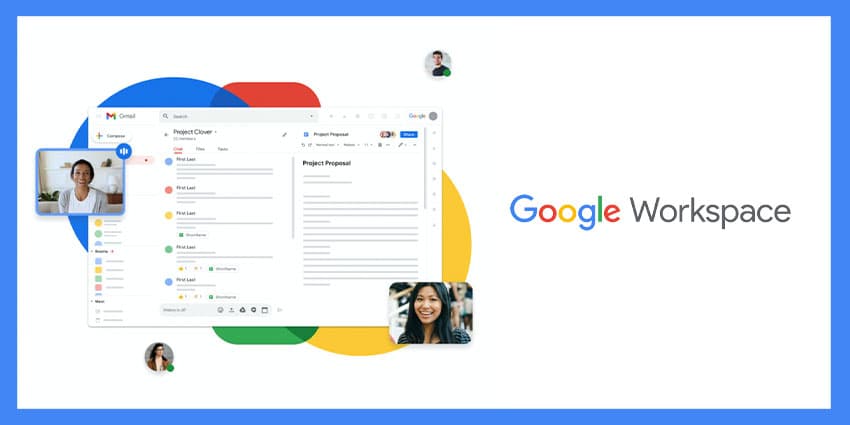
In recent years, countless technology giants have begun producing their own dedicated suites of apps for productivity, collaboration, and communication. Inspired by the shift to a new age of work, we’ve seen the arrival of powerful tools from AWS, Microsoft, and many other brands, including Google.
Some of the components of Google workspace were introduced many years ago when Google was still using “Google Apps for your Domain” as the name for Google Apps. Google Apps rebranded to G-Suite in 2016, and in 2020, the name changed again to “Google Workspace”.
At a glance, Google Workspace seems very similar to G-Suite, with access to the same selection of crucial collaboration and productivity tools. However, there have been some updates to the functionality of the service and the packages available.
What is Google Workspace? The Basics
Google Workspace is an upgraded version of the G-Suite collection of apps and tools for digital office users. The flexible cloud-based platform brings teams together through email, meeting tools, file-sharing solutions, and a range of other features. Though there are different Google Workspace packages available (more on that below), there are various critical tools in each plan.
The following apps come as part of the core offering for most editions of Google Workspace:
- Gmail: Google Workspace comes with a private Gmail account for email.
- Calendar: A synced calendar option for desktops, the web, and mobile devices.
- Meet: The meeting solution for group video and audio conferencing calls.
- Chat: Instant messaging functionality for teams and individuals.
- Drive: Private cloud storage with shared drives, folders, and organisation capabilities.
- Docs: Collaborative word documents with support for images and real-time editing.
- Sheets: Collaborative spreadsheets hosted in the cloud for teams.
- Slides: Presentation tools for meetings and business admin.
- Forms: Custom forms and surveys for collecting business information.
- Keep: Collaborative note-taking tools for tracking to-do lists.
- Sites: Collaborative websites built by numerous people in a team.
- Jamboard: A virtual whiteboard for team drawing and ideation.
Depending on the plan chosen for Google Workspace, users can access additional features or add-ons for teams and individual access. In some cases, these features may require further purchases and subscriptions to Google services:
- Cloud search: Comprehensive searching across the Google Workspace
- Vault: Data retention tools and eDiscovery features for compliance.
- Voice: Business virtual phone systems for external and internal dialling.
- Apps Script: Business process automation tools and apps.
- Appsheet: No-code application development for citizen developers.
- Classrooms: Dedicated learning spaces for students and teachers.
- Domains: Domains registered with integrated Google Workspace features.
What are the Editions of Google Workspace?
Google Workspace has various editions available intended for different groups and users. These plans are differentiated by numerous factors, including a number of accounts, the type of organisation, and the capabilities users want to access.
Business Editions of Google Workspace are available to companies who need to manage up to 300 user accounts. Companies with more users will need to contact Google directly for an Enterprise version of the software. There’s also a version of Workspace for single users.
Some editions of Google Workspace are also only available to specific organisations, such as non-profits or educational companies. Additionally, each package comes with storage limits, meeting limits, different management capabilities, and varied access to apps.


