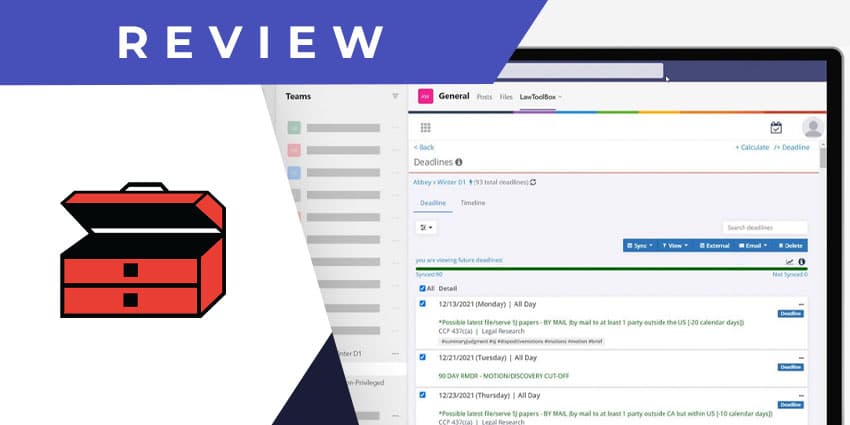
LawToolBox is a 19998 founded company that offers technology solutions for attorneys and paralegals. It is based out of Denver, Colorado and partners with technology providers like DocuSign, Ingram Micro, Microsoft, and others to provide clients with a holistic set of tools for legal document management, deadline management, and other related tasks. LawToolBox has a patented system for online document assembly and docketing, developed in 1999.
The company's flagship solution is a deadline calculator and date calendaring tool that works with your Microsoft tools. In 2018, LawToolBox was named the award winner in the Best Integration category during the Microsoft 2018 Office App awards.
You can add LawToolBox to any enterprise application using its open API, making it ready for use by a wide cross-section of legal firms and departments, regardless of their existing technology dependencies.
The company’s app for the Microsoft Teams environment is called LawToolBox Deadline & Matter Management. As the name suggests, it helps you to calculate and stay on track with court deadlines and manage assets and action items associated with legal matters. Let us review the app in more detail.
Inside the LawToolBox App for Microsoft Teams
LawToolBox licenses start at 436 per user per month, getting increasingly more affordable as you add new users. To install the LawToolBox app for Teams, you will need an Office 365 E3, Office 365 E5, Microsoft 365 E3, Microsoft 365 E5, or Small Business Premium license. Make sure that an IT administrator has approved and accepted permissions on your firm's behalf to use the app’s full functionalities. It is recommended that you install LawToolBox for both Microsoft Outlook and Teams.
The key features of the Teams app from LawToolBox include:
- Rule-based calendaring - The core value proposition of the LawToolBox app for Teams is that it helps to set your legal calendar and manage deadlines more effectively. There is a rules-based calendaring feature where you can set a trigger day to calculate deadlines based on the rules of that specific legal procedure. For example, if you select “date of settlement” as the trigger, LawToolBox can automatically calculate the relevant deadlines leading up to the settlement event. You can use this feature to define discrete legal matters with a set of deadlines associated with each matter.
- Synchronising matter calendars with Outlook - The timelines generated through the rules-based calendar calculator can be synchronised with Outlook. This means that you not only have a record of the upcoming deadlines, but you can also set reminders, schedule meetings based on the deadlines, share files with colleagues as the deadline approaches, and so on. LawToolBox allows you to plan your entire work week or month based on the matter-specific deadlines you have to meet.
- Exportable reports - You can generate a summary report of your deadlines, filtered by a firm, practice group, user, or matter. You can even specify custom hashtags to help you classify and keep track of the deadline as you see fit. Reports can be generated for a custom time period and can be downloaded in the form of excel reports. You can also email the summary report directly from Teams to a colleague or client.
- Litigation analytics - The LawToolBox app has a built-in chatbot that can provide helpful analytics insights. For example, if you mention a specific legal matter, the bot can tell you about its status, the number of deadlines involved, and the participating users. The bot also returns an embedded analytics button that you can click to reveal the average length of time between key events in that category. For instance, LawToolBox can tell you that a matter in a civil court in LA county typically takes around 18 months to complete. You can use these insights on the average length of motions and litigation duration to set client expectations
- The LawToolBox messaging extension - You can use the LawToolBox messaging extension right underneath your message compose area to share information and insights during a conversation quickly.
Why the LawToolBox App Makes a Difference
Legal deadline management and calendaring are highly complex tasks. LawToolBox introduces several handy automation, productivity, and collaboration features to simplify the job.
What We Think
The LawToolBox app for Teams and Outlook could be a game-changer for small law firms working with limited staff and resources.
Download it here.