

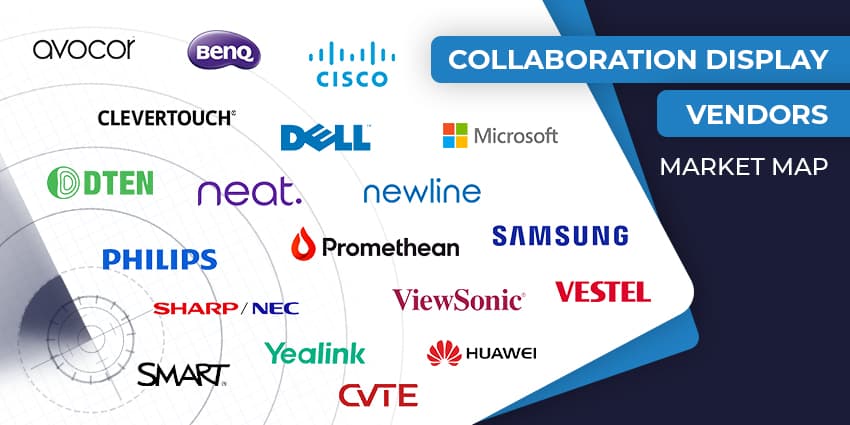
If you’re like most enterprise leaders right now, you’ve probably noticed just how central meeting room technology has become to the way your teams work. The humble display has evolved far beyond being “just a screen.” Today, the best collaboration display vendors are giving companies interactive, intelligent hubs designed to bring people together on a deeper level.
The collaboration display market has exploded with new solutions: giant interactive touch screen boards that double as whiteboards, ultra-wide displays designed for more inclusive layouts, and built-in AI features that make sessions easier to join and manage.
If you’re ready to power up your meeting rooms, this guide introduces the top vendors taken from our collaboration display marketplace. Our goal is to help you understand the market, and see which solutions actually make a difference to productivity, user experience, and IT management.
VISIT THE COLLABORATION DISPLAY MARKETPLACE
The Top Collaboration Display Vendors
Collaboration Display Vendors: Devices That Dominate
The collaboration display market is busy, no doubt about it. Dozens of brands claim they’ve built the smartest screens for hybrid work. But only some collaboration display vendors are really making meetings simpler, more inclusive, and less painful to manage.
Some offer inclusive, interactive touch screen whiteboards, others are focused on AI features or ultra-wide formats that bring remote participants into the room. The good news? There’s a solution for just about every space, from small huddle rooms to the biggest boardrooms.
Avocor
Avocor has been building a name for itself among collaboration display vendors, and its latest boards show why. The E92 is a giant, 92 inches wide, with a 21:9 aspect ratio that gives everyone more room to work. The ultra-wide canvas makes video calls feel more natural, with space for content and remote participants side by side. Up to 50 touch points keep workshops interactive, whether you’re sketching, annotating, or pulling in multiple team members at once.
The company’s strength is how well its kit plays with others. Partnerships with Microsoft, Zoom, Logitech, Google, and Miro mean Avocor boards take minutes to set up. IT teams also get the benefit of FUSE, Avocor’s cloud management tool, which takes the pain out of monitoring and updating a fleet of displays.
Plus, if you’re looking for support, Avocor covers everything, from initial demos and planning, to ongoing technical assistance.
BenQ
BenQ has always been about no-nonsense displays, and that continues in its latest lineup. The RE04 Series sits firmly in the middle of the collaboration display market: accessible, Google-certified, and ready to use straight out of the box. Sizes run from 65 to 86 inches, with anti-glare 4K panels, antimicrobial glass, and TÜV-certified eye-care features. It’s built to survive heavy daily use, whether in a meeting room or a training space.
EZWrite 6 brings a canvas that never feels cramped, plus AI features like translation and OCR that make sessions easier to capture and share. InstaShare 2 handles wireless casting with touchback control, and native Google tools mean most teams can run workflows without connecting a laptop.
For business buyers, the RE04FV variant is the one to watch. With its built-in camera, microphones, and BYOM support, it drops neatly into a Teams or Zoom environment.
Cisco Webex
Cisco’s long track record in enterprise collaboration shows in the Board Pro G2. It’s a single device that rolls together a 4K interactive touch screen, dual cameras, microphone arrays, and an AI-driven compute core. The result is a board that’s as comfortable running a high-stakes executive briefing as it is hosting a hybrid brainstorm.
The intelligence comes from NVIDIA AI, which powers auto-framing, voice tracking, and noise reduction. That means remote participants don’t miss a thing, even in larger rooms. Compatibility is wide too: Webex, Microsoft Teams Rooms, Zoom, and apps like Miro all work natively.
From IT’s perspective, the Control Hub offers clear oversight across device health, analytics, and updates. Plus, Cisco offers an onboarding service with a use case library, expert videos and live sessions, and adoption support to boost return on investment.
Clevertouch
Clevertouch has its roots in education, but it’s been building a serious presence in the enterprise selection of collaboration display vendors. side of the collaboration display market. Its latest LUX for Enterprise 2 series is built on a Rockchip processor, launches with the slick new Lux 2 UI, and supports Wi-Fi 6E, making it fast and reliable.
You get Google EDLA certification and Clevershare included, so teams can use Google Play apps and collaborate without jumping through hoops. Clevertouch also centralizes control. Their “CleverLive” signage feature lets you push organization-wide messaging to idle screens. Flick your NFC badge and the screen loads your personalised profile.
There are plenty of alternative options available too, from ultra-robust solutions like the IMPACT Secure, to simple digital signage systems and even the “Stage” display, specially designed for collaborative workplaces.
CVTE
Technology innovators, CVTE produce all-in-one interactive displays for modern conferences. Solutions like the CVTE conference panel offer companies an all-in-one solution for communication, whiteboarding, and advertising signage. The technology is compatible with almost all the conferencing software available today and features wireless screen-sharing capabilities.
Teams can choose from a menu of sizes, from standard classroom panels to massive conference-capable digital signage and LED walls. The company also supports accessories like mobile trolleys and OPS modules for quick deployment.
The EA Series in particular earns solid marks as “an excellent choice” for organizations wanting dependable collaboration hardware that won’t break the bank.
Dell
Dell is one of the better-known names among collaboration display vendors, making smart strides with meeting space solutions. Its C Series Collaboration Monitors plug into its OptiPlex ecosystem, so you get pop-up cameras, built-in mics, speakers, and a lockable compartment for PCs, adding real polish to video-first workspaces.
The touch-enabled variants support 20-point touch, palm erase, and stylus input, making them legitimate interactive touch screens, not just video monitors. For IT, the RJ45 and RS-232 ports mean easy remote device management, so you can push updates or reboot displays across the office without a site visit.
Dell’s technologies prioritize user experience, with stunning visuals and “ComfortView” anti-glare and anti-smudge coatings to enhance readability. The company also offers a step-by-step onboarding experience and a secure deployment solution.
DTEN
DTEN’s offerings deliver straightforward, reliable collaboration for businesses of all sizes. The D7X All-in-One is built for enterprise rooms that need to get on the call and stay there. One USB‑C cable is all you need to plug in, and you've got your camera, mic, and speakers ready to roll. Zoom is baked in, and Teams is only a download away, so hybrid teams aren’t fumbling with software installs.
OS Flexibility is a selling point too, allowing companies to enjoy compatibility with both Android and Windows devices. Plus, many of DTEN’s solution come with AI included, such as the intelligent sound suppression systems that automatically filter out background noise.
For device management, DTEN also has “Orbit”, a user management platform with full insights into device health, usage, and firmware updates.
Huawei
Producing smartphones, displays, and other intuitive technology, Huawei is among a number of collaboration display vendors with a growing presence in the enterprise landscape. The company’s flagship interactive display, the IdeaHub, combines 4K and full HD video conferencing with a simple setup that eliminates the need for excess cables. It also comes with tap-to-join solutions for instant collaboration.
Huawei’s IdeaHub S2 brings your BYOM (Bring Your Own Meeting) dreams to life with Wi‑Fi 6 and near-zero latency writing, all backed by AI-driven camera auto-framing and crystal-clear mic arrays.
Beyond the tech specs, this board drives smarter meetings. Tap a “project” button on your phone (no network needed), and your screen loads instantly. A smart toolbar keeps your writing smooth; an AI camera keeps presenters in focus; ultra-long mic pickup means audio never drops off, no matter how big the room.
Microsoft
Popular UC and collaboration software vendor Microsoft also provides companies with various hardware solutions and displays through the “Surface” portfolio. The Surface Hub 3 is Microsoft’s headline in the collaboration display vendors arena. Built by Microsoft, for Microsoft, and everyone else, too, it comes in 50‑ and 85‑inch models.
Both are loaded with a 4K anti‑glare interactive touch screen, 20‑point touch (85-inch), dual pens, and a built-in Smart Camera with a 136° field-of-view. You get one-touch join for Teams, Zoom, or Webex, and AI features like speaker recognition, noise suppression, and optional Miracast support.
Orchestrated with Windows Teams Rooms and managed via Microsoft Intune and Teams Admin Center, deployment and security fall into familiar enterprise workflows: Autopilot, BitLocker, TPM, the whole kit.
Neat
Neat positions itself as a smart choice among collaboration display vendors, especially with its sleek Neat Board 50. This is a 50" interactive touch screen that thinks fast. You get a 4K panel, anti-glare coating, and a silicon-rich active marker that draws and erases without pairing or charging fuss. Just snap it on and start sketching.
Where the Neat Board 50 really steals the show is its built-in intelligence. A 50MP wide-angle camera tracks every participant across a 113° field of view, and the five-array mic setup with noise suppression keeps audio crisp, even in lively spaces.
It’s also flexible. Whether you tether a second screen via HDMI or wheel it between rooms on the adaptive stand, this board stays put when you need mobility, and resets when you don’t. Two boards can link up, each hosting different apps for multitasking sessions.


