The funny thing about smart meeting rooms is that they’re incredibly good at framing speakers, translating speech, summarizing calls, and even spotting their own issues, but often, IT still gets dragged in to deal with everyday problems.
Even as AI meeting room management tools get better, day after day, FORTÉ’s March 2026 study of 512 US IT decision-makers found reliability was the number-one barrier to productive meetings, ahead of remote-join problems at 47% and poor audio or video at 41%. IT leaders reckoned removing one major meeting-tech workload could hand their teams back 52 hours every month. And 85% expect meeting-room budgets to rise over the next one to three years.
A similar theme emerged at InfoComm 2026. Buyers are starting to judge meeting room AI by whether it prevents failures and cuts configuration work, not just by whether it looks great.
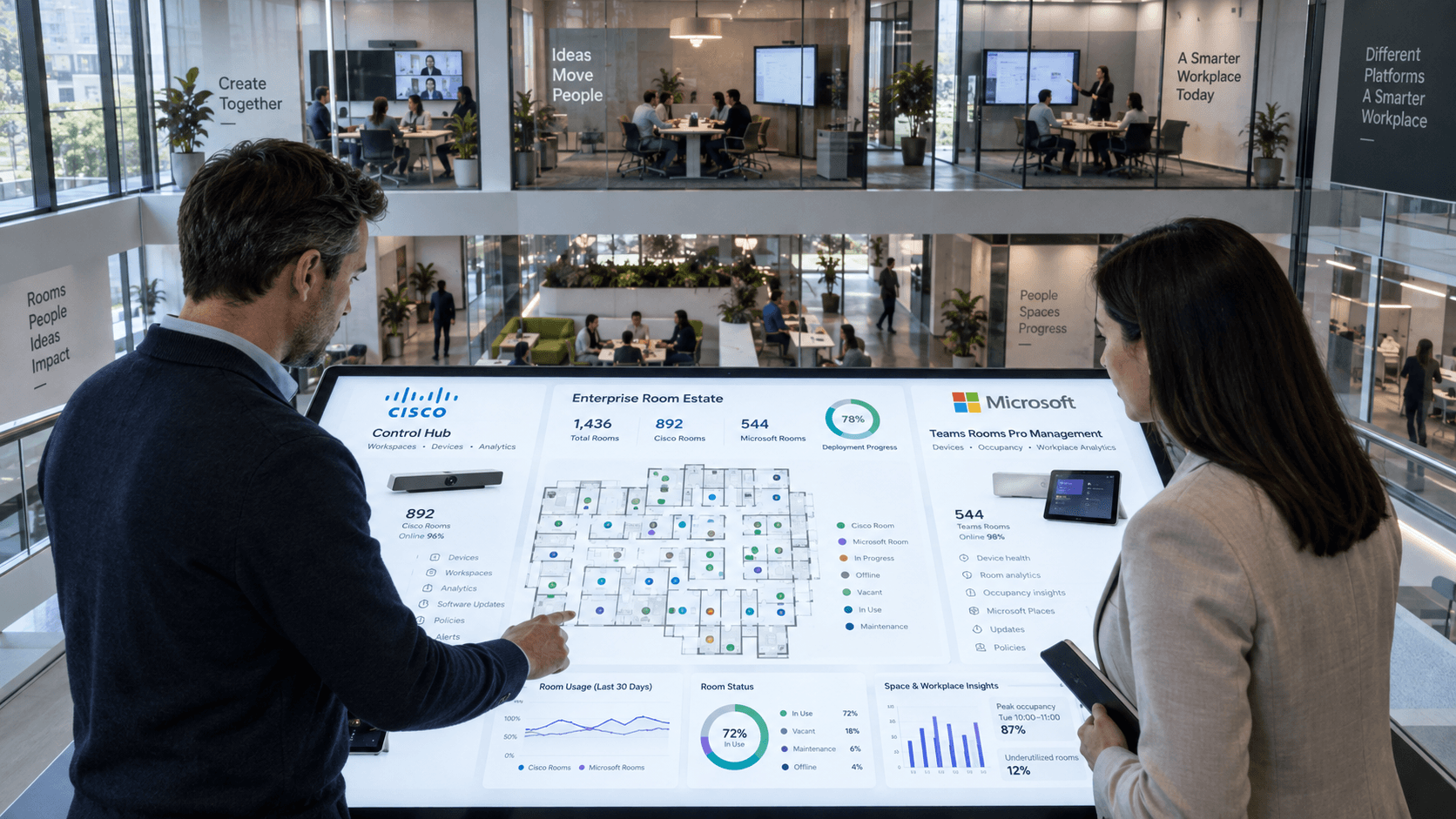
That’s the foundation for today’s comparison of Cisco Webex Control Hub versus Microsoft Teams Rooms Pro Management. Cisco pulls room, workspace and wider infrastructure context together. Microsoft centralizes Teams device operations and extends space intelligence through Pro Management and Microsoft Places.
TL;DR: Cisco vs Microsoft Teams Rooms, which is best?
- Cisco is the stronger fit when room, workspace, network and observability data already live in the Cisco estate.
- Microsoft is the better choice for Teams-first organizations that want one operational layer across a broad certified-device fleet.
- The Buyer question is: Which platform removes more handoffs from the tools and hardware you already run?
What Should Workplace and Meeting Room Management Cover in 2026?
Workplace management now needs to cover the whole operating life of a room, not simply keep an inventory of what’s plugged into it. IT and facilities teams need to know whether spaces are ready, healthy, used properly and fixable remotely. They also need context to tell whether the problem is the device, the room, the network or the users.
That gives buyers a more useful way to compare Cisco vs Microsoft Teams Rooms:
| What buyers need |
Cisco Control Hub |
Microsoft Pro Management / Places |
| Fleet operations |
Device, peripheral and workspace management |
Centralized Teams device administration |
| Problem detection |
Device plus workspace and wider Cisco telemetry |
Device health, incidents and remediation |
| Workplace context |
Room conditions and workspace data sit close to device management |
Broader workplace data extends into Microsoft Places |
| Management model |
More context brought into the Cisco control layer |
Responsibilities divided across connected Microsoft services |
Cisco’s Workspaces in Control Hub gives admins device and peripheral status, usage data, proactive issue detection and room-level telemetry. May 2026 added Workspace Advisor and workspace-aware AI, pushing the platform further toward managing the experience around the endpoint as well as the endpoint itself.
Microsoft has spent 2026 expanding Pro Management as the operational home for more Teams devices, while Places handles more of the reservation, occupancy and desk-planning picture.
The difference is becoming less about who can manage a meeting-room device and more about how much context an administrator gets before another tool has to enter the investigation.
Key Takeaways
- Cisco brings more room, device and infrastructure context into one management model.
- Microsoft offers a broad Teams operations layer, with wider workplace intelligence extending into Places.
Dig into AI meeting rooms, hybrid work, and how collaboration is changing here.
Which Is Easier to Deploy at Scale: Cisco or Microsoft?
Both vendors can now get rooms online with far less local fiddling, but neither has made deployment disappear. Cisco’s Zero Touch Provisioning began rolling out with RoomOS 26.5 in April 2026, removing the need to type 16-digit activation codes once a device’s MAC address is assigned to a Control Hub workspace.
Cisco still describes the rollout as phased rather than fully GA. Microsoft’s Autopilot and Autologin does something similar for Teams Rooms on Windows, provided the Microsoft identity and device-management plumbing is already in place.
Cisco lets admins bulk-create workspaces, assign hardware and apply configuration templates before devices arrive. Once a supported device is claimed to the workspace, it can register automatically and pick up the configuration already waiting for it. That’s genuinely useful for distributed rollouts, especially where RoomOS and Cisco networking already share the estate.
Microsoft’s route will feel familiar to a Windows-heavy IT team. Autopilot and Autologin can install Windows and Teams and sign the room in without somebody touching the console. The preparation list is still substantial, though. Microsoft documents nine steps, including Autopilot registration, device groups, Entra ID, Intune enrollment, LAPS, resource accounts and Pro Management setup.
For meeting room device management, “zero touch” still means moving the touching somewhere else. Cisco currently asks less of the person standing in the room, while Microsoft can remove more onsite interaction once the surrounding Microsoft stack is ready.
Key Takeaways
- Cisco has the strongest deployment case when RoomOS and Cisco network infrastructure already share the estate.
- Microsoft’s Autopilot removes more onsite interaction, but the identity and management groundwork has to be ready first.
Can AI Detect and Fix Meeting Room Problems Before Users Notice?
Cisco and Microsoft don’t publish accuracy figures for their room-management AI, which makes any direct ranking pretty meaningless. Buyers can still test what counts: whether the AI spots an issue early, gathers the right context, handles safe fixes itself, and passes the problem to a person when it can’t go any further.
Microsoft has the more concrete room-specific remediation story today. Teams Rooms Pro Management monitors granular health signals, including nightly checks for black or empty camera output, audio quality and whether the Teams app is displaying correctly. Supported problems can trigger automated diagnostics or remediation, including configuration changes and device resets.
Its AI Assistant is much less autonomous. Admins can ask about room health and inventory, and Microsoft says generated answers can contain mistakes and should be checked. The Assistant doesn’t currently take actions, either.
Cisco is aiming wider. In May 2026 it added workspace context to the AI Assistant in Control Hub, so admins can ask about devices, workspace issues and utilization. June 2026 then moved AI Canvas into Controlled Availability through Cisco Cloud Control, where collaboration data can sit alongside network, security and observability context.
Amit Barave, VP and GM of the Webex Suite and AI at Cisco, told us in May that combining signals across those areas could shrink troubleshooting from weeks to hours. That’s a strong pitch. Buyers could use more published room-management results showing how often Cisco is actually delivering it.
Key Takeaways
- Microsoft has the better room-specific detection and remediation today, with explicit limits around its AI Assistant.
- Cisco offers broader troubleshooting context across room and infrastructure data, with less field evidence for the newest AgenticOps features.
How Do Cisco and Microsoft Handle Mixed-Platform Meeting Rooms?
Cisco and Microsoft both support mixed estates, but they mean different things by “mixed.” Microsoft is consolidating more Teams device types and hardware makers into one portal. Cisco is carrying its own device and workspace intelligence across Webex, Teams and Zoom, even when another platform keeps part of the admin job.
Microsoft’s consolidation accelerated in June 2026. Teams Rooms on Android, Teams phones, panels and SIP devices began moving from Teams Admin Center into Pro Management alongside Windows Rooms. Microsoft began removing device management from Teams Admin Center in early September 2026, with the transition scheduled to finish by the end of that month, leaving Pro Management as the primary portal for inventory, health, settings, updates and remote actions. Pro Management can also now flag peripherals in BYOD rooms that are faulty, missing, undetectable or moved, although those reports need a Teams Shared Devices license for the room.
That makes hardware choice a real part of Microsoft’s appeal. The June 2026 Teams Rooms update also brought enhanced SIP-based cross-platform join to Android, narrowing a clear interoperability gap with Windows and making Webex or Zoom meetings easier to reach from a Teams-first room.
Cisco attacks the same problem from the hardware side. Its 2026 strategy carries Cisco device intelligence into Teams Rooms and Zoom Rooms, with Control Hub retaining workspace data and ThousandEyes diagnostics. Cisco Devices for Zoom Rooms entered public beta in June, with GA expected in Q4 2026 on Cisco’s current product page, although the Zoom Admin Portal still remains part of the picture.
That’s a great compromise, although the second admin plane is still there. Microsoft has its own interoperability boundary, too. Teams remains the center of the room experience, even as SIP-based third-party join gets better. The appeal isn’t that Microsoft manages everything. It’s that more of the Teams estate is being pulled into one operating model.
Key Takeaways
- Microsoft is better for Teams-first organizations that want centralized control across a varied certified hardware estate.
- Cisco is better where Cisco room hardware spans several meeting platforms and Cisco telemetry needs to follow the device.
Which Workplace and Meeting Room Analytics Actually Help IT and Facilities Teams?
Useful workplace analytics should tell teams more than whether a room was booked. They need to show whether people actually used the space, whether the technology behaved and why one room keeps getting avoided while another is permanently busy. Cisco and Microsoft can both get there, but they’re using different data models.
CBRE’s 2026 Global Workplace & Occupancy Insights says average global office utilization reached 53% in 2025, up from 38% in 2024. More people competing for shared space makes bad utilization data expensive pretty quickly.
Cisco has gone unusually far into the physical room. Control Hub can track occupancy, people count, sound, temperature, humidity, air quality, reverberation and lighting alongside device data. May 2026 added Light Condition Insight, rating rooms as Good, Dark or Backlit, plus Workspace Advisor, which builds a 3D room model and can suggest changes to hardware placement. So Cisco is moving from device monitoring to real workplace planning.
Microsoft has moved further beyond fleet health, too. Shared Spaces Insights combines Exchange reservations with device signals to separate booked-and-used rooms from booked-and-empty ones. Pro Management reports can also surface utilization, call quality and people count where supported.
April’s Shared Space licensing changes also changed things. BYOD rooms and bookable desks can now feed usage analytics into Pro Management and Microsoft Places, while Places adds occupancy reporting and autorelease. Microsoft’s workplace analytics story is broader, but the buyer is working across more than one Microsoft service.
Key Takeaways
- Cisco gives IT and facilities teams unusually detailed evidence about what’s happening inside the physical room.
- Microsoft connects room, BYOD and desk usage to a broader Microsoft workplace model across Pro Management and Places.
What Evidence Shows Cisco or Microsoft Actually Reduces IT Work?
Public evidence gives both vendors something impressive to demonstrate, but neither cleanly isolates the management layer enough to prove exactly how much support work it removes. A room rollout can improve utilization and employee satisfaction while the admin burden stays high, so the customer numbers need context.
LTIMindtree gives Cisco a strong scale story. The deployment modernized more than 1,000 collaboration devices and increased conference-room utilization by 119%. Across a program spanning more than 700 sites, IT incidents fell 25% and support tickets were down 30%.
Those support reductions should not be credited entirely to Control Hub. The project also involved ThousandEyes, Secure Access, Catalyst and Cisco Services. The 119% room-utilization figure is cleaner evidence for the collaboration program itself, although the wider deployment does show why Cisco’s full-stack story can appeal to global IT.
Microsoft’s April 2026 Chin Hin story gives Teams Rooms a similarly useful, if imperfect, proof point. The case study shows 50% less meeting setup time, 91% room utilization and 93% employee satisfaction after the deployment.
Again, attribution gets complicated, since Chin Hin deployed Teams Rooms alongside Microsoft 365 Copilot, Crestron hardware, integrator work and a broader workplace program. The results show the environment worked well for employees; they don’t isolate Pro Management’s contribution.
Key Takeaways
- Cisco has strong scale and room-utilization evidence, although its best IT-support numbers belong to a wider Cisco deployment.
- Microsoft has strong setup, utilization and satisfaction outcomes, without a clean measure of Pro Management’s contribution.
Cisco or Microsoft: Which Management Model Fits Which Buyer?
Buyer fit still comes down to where the organization has already standardized. Microsoft suits companies that have built the room estate around Teams and want consistent control across different certified hardware makers. Cisco suits estates where Cisco devices, networking and observability already carry a lot of the operational load across several meeting platforms.
Microsoft’s commercial model is easier to size up. Teams Rooms Pro is publicly listed at $40 per room per month in the US, billed annually, and includes advanced management features such as remote device management and detailed analytics. Teams Rooms Basic is free for up to 25 rooms, but the advanced management capabilities sit in Pro.
That makes Microsoft a logical fit for companies running Teams across a mixed certified-device estate. Intune and Entra already handle much of the surrounding administration, so room management lands inside a familiar Microsoft operating model.
Cisco’s case gets stronger when the room is one part of a wider Cisco estate. Control Hub fits naturally alongside ThousandEyes, Catalyst, Meraki or ISE, particularly where the same Cisco room hardware needs to support Teams, Zoom and Webex. Buyers still won’t find a single public per-room management price that maps neatly against Microsoft’s $40 figure.
Microsoft is making the Teams device estate easier to operate as one fleet. Cisco is making the room part of a wider operational picture. The useful question is whose territory matches yours.
Key Takeaways
- Microsoft has the edge for Teams-heavy organizations that want to manage multiple certified hardware brands from one place and get a clearer view of licensing costs.
- Cisco is better where room, network and observability data already live in Cisco systems and several meeting services have to coexist.
How Should You Test Meeting Room Management Before You Buy?
Ask both vendors to work through the same ordinary problems that IT teams actually inherit. That’s where the differences between platforms become much easier to see, and it stops the comparison turning into a feature-count exercise. Use the same rooms and the same admin team for both tests.
- Disconnect a camera mid-session. Time how long it takes the platform to detect the fault, identify the affected room and suggest a useful next move.
- Introduce packet loss. See whether the system can trace poor meeting quality back to the network rather than treating the endpoint as the problem.
- Break a configuration remotely. Test whether the AV management platform can reverse the change without somebody visiting the room.
- Give the AI a misleading symptom. With AI meeting room management, focus more on whether the answer shows its evidence, limitations and next step than how confidently it responds.
- Join your main third-party meeting service. Check exactly which controls, diagnostics and meeting features disappear.
- Provision ten unopened devices. Count human actions rather than accepting a “zero-touch” label at face value.
- Show the platform an underused room. Good workplace analytics should help explain the pattern, not simply report a low utilization percentage.
- Close an incident in your ITSM tool. Then check whether the room-management system knows the issue has been resolved too.
Key Takeaways
- Test Cisco and Microsoft against the same failures, using the same rooms, admin teams and success criteria.
- Pay close attention to where automation stops and another console, administrator or onsite visit enters the process.
Cisco vs Microsoft Teams Rooms: What’s the Final Verdict?
There isn’t a universal winner here. Cisco and Microsoft are both turning room management into something much bigger than device administration, but they’re building toward different operating models. The right answer depends on which estate already carries the operational load.
Microsoft makes an obvious case for organizations already deep in Teams, Entra and Intune. Pro Management is becoming a broader home for Teams device operations, while Places carries more of the workplace-planning layer. That setup should feel familiar to Microsoft-heavy IT teams, particularly those managing certified hardware from several vendors.
Cisco’s proposition is more appealing when meeting rooms sit inside a wider infrastructure strategy. Control Hub can pull device, workspace and physical-room signals closer together, while Cisco’s newer AI and observability work is trying to connect room problems with what’s happening elsewhere on the network. There’s still more to prove around how much work that automation actually removes, but the direction makes sense.
Overall, Microsoft is the natural fit when Teams is the center of the room estate. Cisco becomes harder to ignore when the goal is to manage the room as part of a wider workplace and infrastructure environment.
FAQs
What is meeting room device management?
Meeting room device management is the admin layer used to provision, monitor, configure and troubleshoot room technology remotely. That can include cameras, displays, microphones, room systems and connected peripherals. The better 2026 platforms also pull in call quality or occupancy data so IT can see whether a problem sits with the endpoint, the room or something upstream.
Can Cisco Webex Control Hub manage Microsoft Teams Rooms?
Yes, when supported Cisco devices are running a Microsoft Teams Rooms experience. Cisco Control Hub can retain device status, workspace history, alerts and parts of the Cisco configuration layer. Microsoft still controls areas of the Teams application lifecycle, so admins should expect some work to remain inside Microsoft's tools.
Can Microsoft Teams Rooms Pro Management manage Android devices?
Yes. Microsoft is moving Teams Rooms on Android into the Teams Rooms Pro Management Portal alongside Windows Rooms, panels, phones and SIP devices. The 2026 transition is designed to give admins one place for health, inventory, updates, settings and remote actions, although some capabilities are still moving in stages.
Does AI meeting room management automatically fix problems?
Sometimes. Microsoft's Pro Management service can automatically remediate supported room faults, while its AI Assistant doesn't take actions. Cisco's workspace-aware AI can help investigate room issues, and AI Canvas reaches further across infrastructure. Buyers should still ask which problems are fixed automatically and which only produce a recommendation.
What should buyers look for in a meeting room management platform?
Start with failed peripherals, poor network conditions, mixed meeting services and devices deployed far from IT staff. A useful workplace management platform should cut the visits, handoffs and admin consoles involved when something goes wrong. Its analytics should also help explain persistent room problems instead of simply recording them.