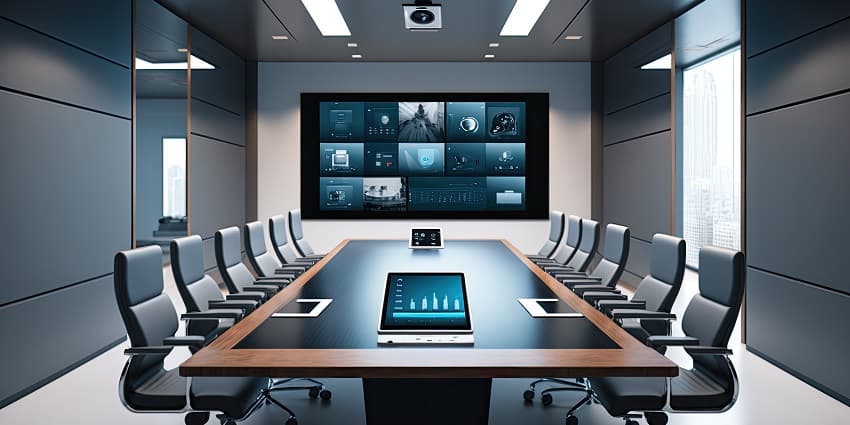
Conference room management has grown increasingly complex in recent years. Previously, companies had a handful of dedicated “conferencing” spaces, typically used for large boardroom meetings and brainstorming sessions. Now, the workplace has grown more dynamic.
Employees are dividing their time between remote and in-office work, making it tougher to forecast workplace capacity. The rise of more frequent, ad-hoc meetings between hybrid workers also means companies are more flexible with their spaces. With the right technology, any room can be transformed into a focus space, board room, or training centre.
Unfortunately, the variable office environment sometimes makes it harder for companies to manage their spaces and resources effectively. Even now, employees can spend a significant amount of time just searching for the right meeting space. Conference room management technology can help.
The question is, how do you choose the right solution?
Comparing Conference Room Management Technology
Professionals spend an average of 50% of their working week in meetings. The rest is distributed between focus work and collaborative experiences. Room management technology is how companies ensure that employees always have access to the “spaces” they need.
However, conference room management and booking tech can come in many forms. That’s why we created this guide: to help you make the right choice for your business.
Step 1: Define Your Conference Room Management Challenges
At UC Today, we believe the best technology should always solve a clearly defined problem. Broadly, conference room management technology solves the issue of complex space and resource management. However, different technologies can address additional issues.
For instance, if you’re investing in creating office neighbourhoods, the problems you may want to solve could include regular double bookings, limited guest and visitor management options, and a lack of visibility into how spaces are used.
If you’re running a hybrid workplace, where meetings between distributed employees are common, you might want to address issues like complex conference room setup or limited availability of small huddle room spaces. Other challenges to address might include:
- Poor insights into resource utilization.
- Limited visibility into room availability.
- Problematic access controls cause security issues.
- Lack of personalization and configuration options in rooms.
Defining your core conference room management challenges will take you to our next step for comparing the right technology.
Step 2: List Essential Features
Now you know what you need to accomplish with your conference room management technology, it’s time to start looking at key features. Most of the leading technologies we’ve reviewed share similar core features, such as online meeting room and desk booking options, space reservation tools, and filtered search, to help users find a suitable space.
They also commonly feature tools for:
- Space insights: Your room management tech should make it easy to see which rooms are available, how many people they can accommodate, which tools and resources they offer, and how frequently they’re used.
- Notifications: Most tools will integrate with collaboration and calendar tools, sending employees notifications when they’re invited to a meeting and reminding them when their reservation is. They can also send alerts when meeting room information changes.
- Room management: A central management dashboard should allow users to configure technology and amenities before the meeting. It can also provide insight into which employees will be present in a meeting, as well as check-in and check-out features.
Other valuable features can include things like a “floor plan view”, for deeper insights into the structure of the meeting room for employees. Depending on how you’ll use your spaces, you might want to invest in extra capabilities, such as visitor and guest management, for hot-desking employees.
Step 3: Consider your Integration Requirements
The number of tools employees rely on each day is increasing. Here at UCToday, our teams use dozens of different apps, devices, and solutions all the time. The more connected these tools are, the more productive our employees become.
Your conference room management technology must work alongside various tools to ensure you can get a holistic view of your resources. First, it should integrate with your team’s calendar tools so they can access immediate insights into when rooms are available and their upcoming bookings. It’s also worth looking for integrations with:
- Collaboration tools: Integrations with solutions like Microsoft Teams and Zoom will ensure teams can access room booking tools and calendars within their digital work hub. It can also make it much easier to invite other employees to meetings and check their availability.
- Workforce management software: Integrations with workforce management software can allow your conference room tools to showcase data about when employees are scheduled to be in the office. This helps with team coordination in the hybrid workplace.
- Wayfinding software and digital displays: A modern room management solution should integrate seamlessly with displays and wayfinding solutions that can help your employees instantly see which rooms are in use and when they’ll next be available.
Step 4: Examine the User Experience (in a holistic way)
The main purpose of conference room management technology is to make it easier for team leaders to distribute resources and employees to access the spaces they need. That means the solutions you choose should be as intuitive as possible.
Many of the best conference room management software options come with demos, so we recommend seeing how easy they are to navigate. Check whether employees can rapidly see which spaces are available and which amenities they offer. Look at how convenient the interactive calendars and room maps are.
Additionally, as employees become increasingly mobile, it’s worth ensuring the room booking and management experience is easy to use on smaller screens. If your solution has its own mobile app, staff can book and manage their spaces wherever they are.